Custom 3D Product Configurator Development for Manufacturers: Scope, Inputs and Delivery
A done-for-you 3D product configurator: what manufacturers provide, how the first version is scoped, and when another tool is the better fit.
By Andrey M. · Founder, Paramiq · Published
We design and build custom 3D product configurators and quoting tools on Paramiq, tailored to the company's products, options, rules and pricing. A customer, dealer or salesperson selects a valid configuration in the browser; the same product rules can drive the 3D view and one primary output — a quote, estimate or material list. The useful first version is not the whole catalogue. It is one representative product line, one primary user and one result that removes a real step from the current sales process.
Have one configurable product in mind? Bring the product page and the result your team needs first.
Discuss one productWhat gets delivered
The deliverable is a browser-based tool built around the manufacturer's real configuration logic. It can be used internally, shared by link or embedded on a website. The visible experience is simple: choose dimensions and options, see only valid combinations, understand how the product changes and submit or receive the agreed result. Behind that interface, the product rules, price logic, material formulas and 3D state are kept in one configuration instead of being maintained as separate calculators and visual assets.
| Primary user | Best first output | The first version must do | Usually postpone |
|---|---|---|---|
| Salesperson | Quote | Guide the rep through valid options and return a consistent customer price. | Customer checkout, a full dealer portal and deep CRM automation. |
| Website visitor | Estimate or configured request | Make the product understandable and capture an unambiguous configuration. | Exact pricing when the business still requires human review. |
| Dealer or distributor | Quote or order-ready specification | Constrain choices to the approved range and preserve what was configured. | Every product family, region and approval workflow. |
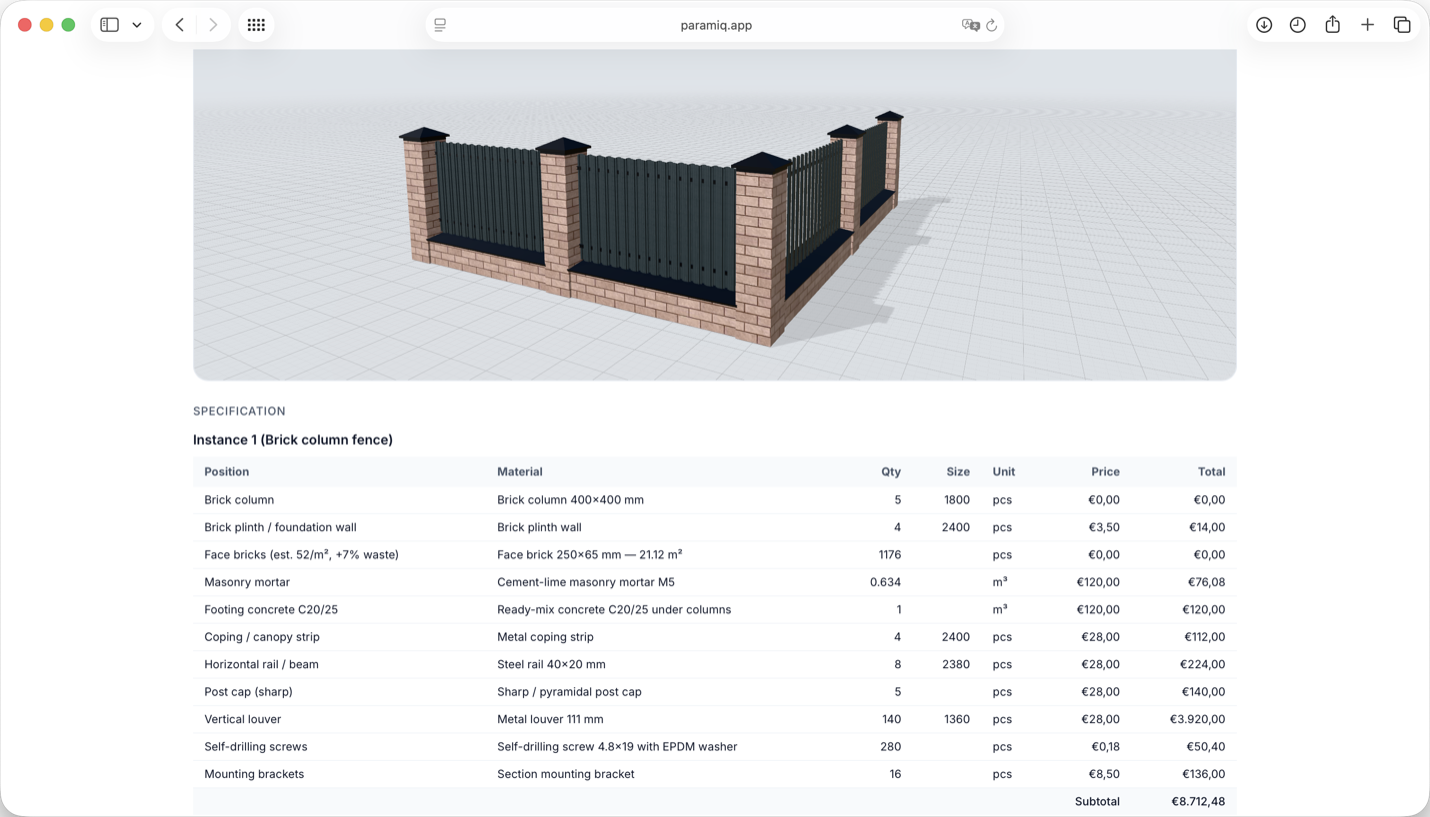
| Estimator or production handoff | Material list | Calculate the agreed items and quantities from the same inputs used by sales. | Replacing ERP, MRP, scheduling or CAD. |
What we need from the manufacturer
You do not need a finished software specification. One representative product page, catalogue section or pricing spreadsheet is enough to assess the shape of the problem. We then separate what the buyer chooses from what the system calculates, identify invalid combinations and agree which result matters first. Pricing files are only required when the chosen output needs pricing; a visual configuration or material workflow can be scoped without exposing an entire price book.
| What you already have | What it becomes | What must be checked |
|---|---|---|
| Product page, catalogue or option sheet | Parameters and allowed choices | Names, ranges, units and which choices depend on others. |
| Pricing spreadsheet or lookup tables | Calculations and price rules | Known examples, boundary values, currencies and effective dates. |
| Material or cut-list logic | Specification or bill-of-materials rules | Units, waste factors, minimum quantities and exceptions. |
| CAD, renders or product photography | 3D assets and visual states | Which options visibly change geometry, finish or accessories. |
| Notes and estimator knowledge | Validation rules or a human review gate | Who decides exceptions and when the tool should stop rather than guess. |
Manual notes are not noise to remove. They often contain the most valuable product knowledge: combinations that should never be sold, regional constraints, minimum order rules or the point where engineering review is required. A reliable configurator makes those decisions explicit and leaves genuine exceptions with a person.
How a custom configurator is scoped
The process starts with the current sales workflow, not with a 3D model. We first identify who is configuring, what they do today and the single result that would make the workflow meaningfully better. Only then do we choose the product slice and decide whether 3D, pricing, material output or an integration belongs in the first release.
- Fit check — review one representative product and the current quote or configuration flow.
- Scope — agree the primary user, one output and the boundaries of the first product line.
- Representative example — model enough real rules to expose missing data and confirm that the proposed interaction makes sense.
- Pilot — implement the bounded workflow and validate it against examples whose correct answers are already known.
- Launch — publish the approved experience, document ownership and train the people who will operate it.
- Expansion — add product families, roles, languages or integrations only after the first workflow is being used.
This sequence is also how uncertainty is reduced. A beautiful visual concept does not prove that the pricing rules are complete, and importing a large catalogue does not prove that buyers understand the questions. A representative product exposes those issues before they are multiplied across the catalogue.
Illustrative example: a made-to-size pergola
Consider a pergola manufacturer whose current enquiry form asks for width, depth and a free-text description. A focused first version could let a visitor choose width and depth within approved ranges, roof type, finish and a small set of accessories. Spacing and component quantities are calculated from those choices; combinations outside the engineered range are blocked; the 3D view changes with the visible options. The agreed result might be a configured request for review rather than an instant final price. That is still a complete first workflow because sales receives a precise configuration instead of an ambiguous message.
| Product knowledge | Configurator rule | Visible or commercial result |
|---|---|---|
| Approved width and depth ranges | Bounded numeric parameters | The user cannot request an unsupported size. |
| Roof styles, finishes and accessories | Allowed options and dependencies | Only compatible choices remain selectable. |
| Maximum spacing between repeated parts | Quantity formula based on span | 3D geometry and material quantity change together. |
| Price table or review requirement | Price calculation or review gate | The user receives an estimate, or sales receives a configured request. |
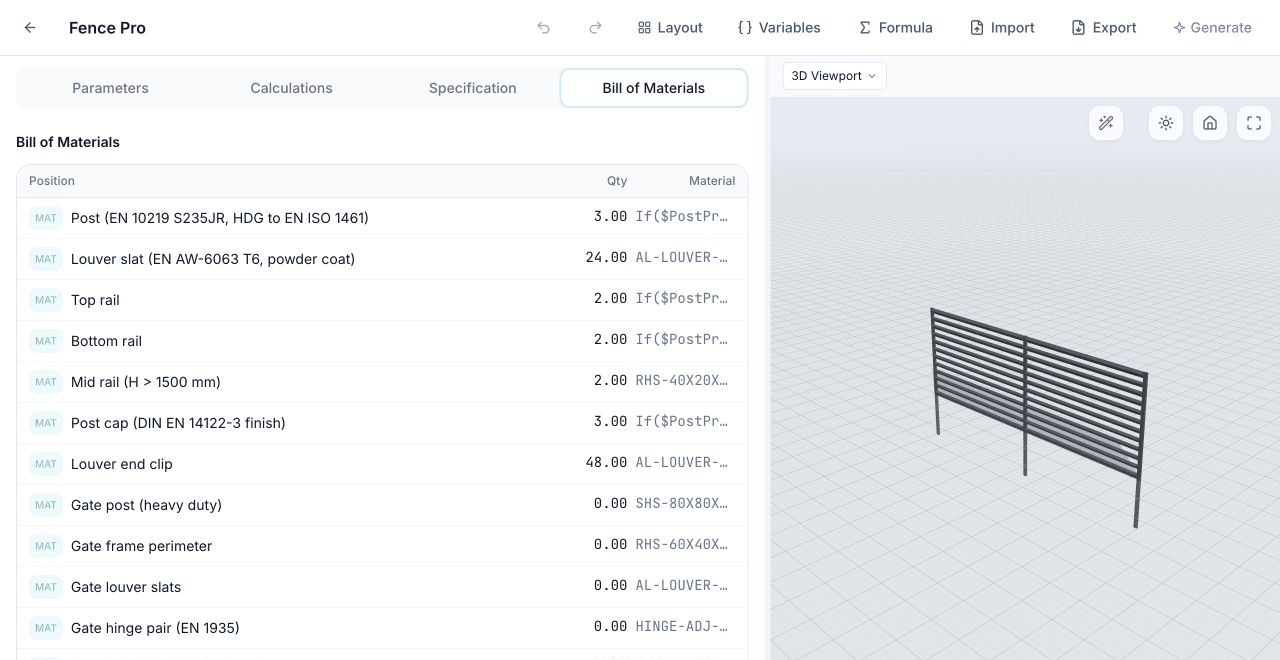
| Component and hardware rules | Material formulas | A material list can be generated when that is the agreed output. |
When 3D is useful — and when it is not
3D earns its place when dimensions or options visibly change the product, when spatial understanding affects buyer confidence, or when the picture helps catch a misunderstanding before a quote is approved. It is less important when the job is only a price calculator, the underlying product rules are still changing every week, or the visual model would be disconnected from the values used for the commercial result.
What changes the scope and cost
A custom product configurator cannot be priced responsibly from the word “configurator” alone. Scope depends on the number of distinct rule systems, the condition of the source data, the required output and how the experience must connect to the rest of the business. That is why the most useful first scoping input is one representative product, not a feature wish list.
| Scope driver | Lower-complexity case | Higher-complexity case |
|---|---|---|
| Product coverage | One repeatable product family | Several families with different rules |
| Rule complexity | Independent sizes and options | Dependencies, exceptions and regional variants |
| Source data | One maintained catalogue or spreadsheet | Conflicting files and undocumented estimator knowledge |
| 3D assets | Reusable or simple assets | New detailed assets, many states or complex geometry |
| Output | Configured request or estimate | Priced quote, detailed material list or document workflow |
| Connections | Standalone link or standard embed | Roles, languages and integrations with existing systems |
Common items to postpone are the full catalogue, deep ERP or CRM automation, automatic CAD drawings, checkout, every regional price list and photorealistic rendering. They may be valid later. They should not prevent one useful configuration flow from reaching real users.
How to validate the first version
| Test | Evidence to review |
|---|---|
| Known-good configuration | The tool matches a product example the team already accepts. |
| Boundary configuration | Minimums, maximums, units and rounding behave as intended. |
| Invalid combination | The user is blocked or routed to review instead of receiving a plausible wrong result. |
| Commercial change | A relevant option changes the price, estimate or request exactly as agreed. |
| Material output | When included, quantities match a known specification or takeoff. |
| Buyer comprehension | A person outside the implementation team can complete the flow without explanation. |
| Handoff | Sales or production receives enough context to continue without re-keying the configuration. |
When another approach is the better choice
| Choose | When it is the better fit |
|---|---|
| A simple quote form | The product has a few independent options, 3D adds little and a submitted estimate is enough. |
| An ecommerce visualizer | The main job is visual personalization and checkout for fixed-SKU consumer goods. |
| CAD or design automation | Every order must produce engineering drawings, CAD parts or fabrication geometry. |
| Enterprise CPQ | The primary problem is approvals, governance and deep CRM or ERP workflow across a large sales organisation. |
| A spreadsheet | One knowledgeable person handles occasional quotes and no customer, dealer or wider team needs access. |
| A custom build on Paramiq | A repeatable physical product needs guided options, pricing, material logic and 3D in one customer or sales workflow. |
Paramiq is a parametric product configurator for small and midsize manufacturers of configurable physical products. It turns product rules into pricing, BOM and 3D for sales teams, customers and production. It is not a CAD drawing generator, an ERP core or the shortest route to a simple colour-and-logo customizer. The custom-build service is for manufacturers that have repeatable product logic and want the first useful workflow delivered around their own products rather than assembling it alone.
FAQ
No. A maintained spreadsheet helps, but known product examples are more important. We need enough source material to identify inputs, rules and the desired output, then validate the model against cases your team already understands.
No. Existing assets can reduce the 3D work, but they are not a prerequisite for assessing the workflow. Asset preparation, sourcing or modelling is scoped according to what the buyer must see and how the geometry changes.
No. The right output may be an estimate, a configured request for human review or a material list. Live pricing only belongs in the first version when the manufacturer is ready to expose and maintain the required rules.
Self-service Paramiq gives your team the platform, templates and editor to build the configurator yourselves. With a custom build, we define the first scope with you and implement the product rules, outputs and 3D experience around your real data. The result runs on the same Paramiq platform and remains editable; the difference is whether your team or ours leads the initial implementation.
Yes. One representative line is usually the best way to validate the interaction, data quality and output before repeating the pattern across a catalogue.
Send one product or catalogue link, the options or dimensions customers choose, and a short description of what should happen next: quote, estimate, configured request or material list. A pricing file is only needed if pricing is part of that first result.
Send one product page or pricing spreadsheet. We will use a focused walkthrough to map what can become a working configurator and decide whether the first version should end in a quote, estimate or material list.