Product Configurator for Small Manufacturers
A parametric configurator turns your product rules into a price, a specification with bill of materials, and an optional 3D view. When it fits, when it does not, and what implementation involves.
Published · Last updated
If you manufacture configurable products — fences, gates, railings, pergolas, stairs, furniture — a product configurator is software that turns your product rules (dimensions, options, materials, formulas) into three synchronized outputs: a price, a specification with bill of materials, and an optional 3D view. Paramiq is a parametric configurator built specifically for small and midsize manufacturers: you define the rules once — starting from a template or your existing spreadsheet — and the same logic serves your sales team, your dealers, and customers on your website. This page explains when a configurator like this fits, when it does not, and what implementation actually involves. (Some teams search for this category as a 'formula-driven product configurator' — same thing: your formulas drive every output.)
The problem it replaces
Most small manufacturers quote configurable products through some combination of spreadsheets, email, and one estimator's head. It works — until the quote volume grows, the estimator goes on vacation, a dealer waits three days for numbers, or a change request forces a full manual re-quote. In our July 2026 review of 200 US fence, gate and railing companies, none of the 27 manufacturers with repeatable product lines offered dealers a configurator with live pricing and a bill of materials — while a third of installers already price homeowner jobs online in minutes.
What a parametric configurator does
- Parameters — the inputs a buyer or salesperson picks: width, height, style, colour, options.
- Formulas — your calculation logic: quantities, cut lists, waste factors, tiered pricing, dealer margins.
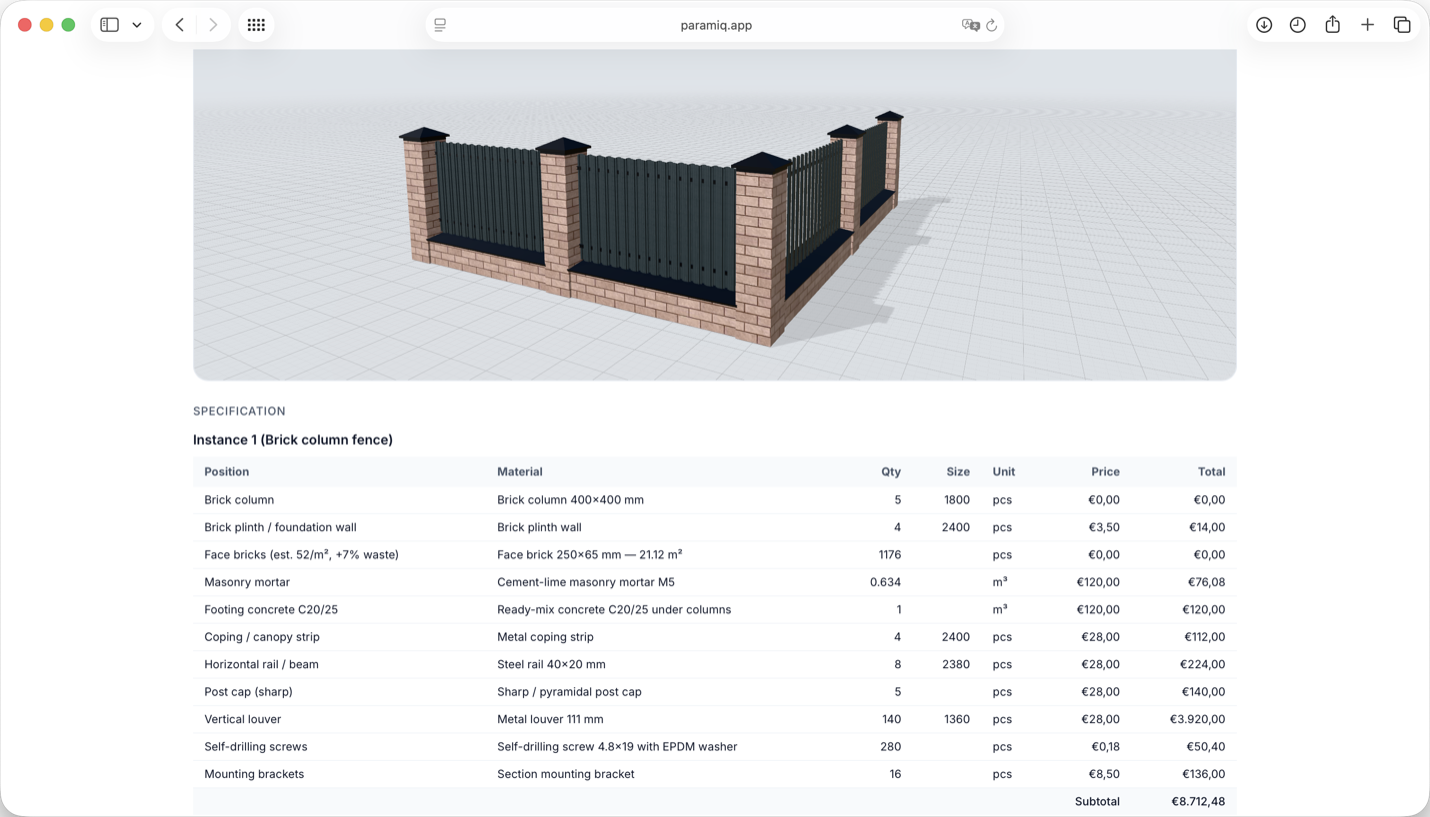
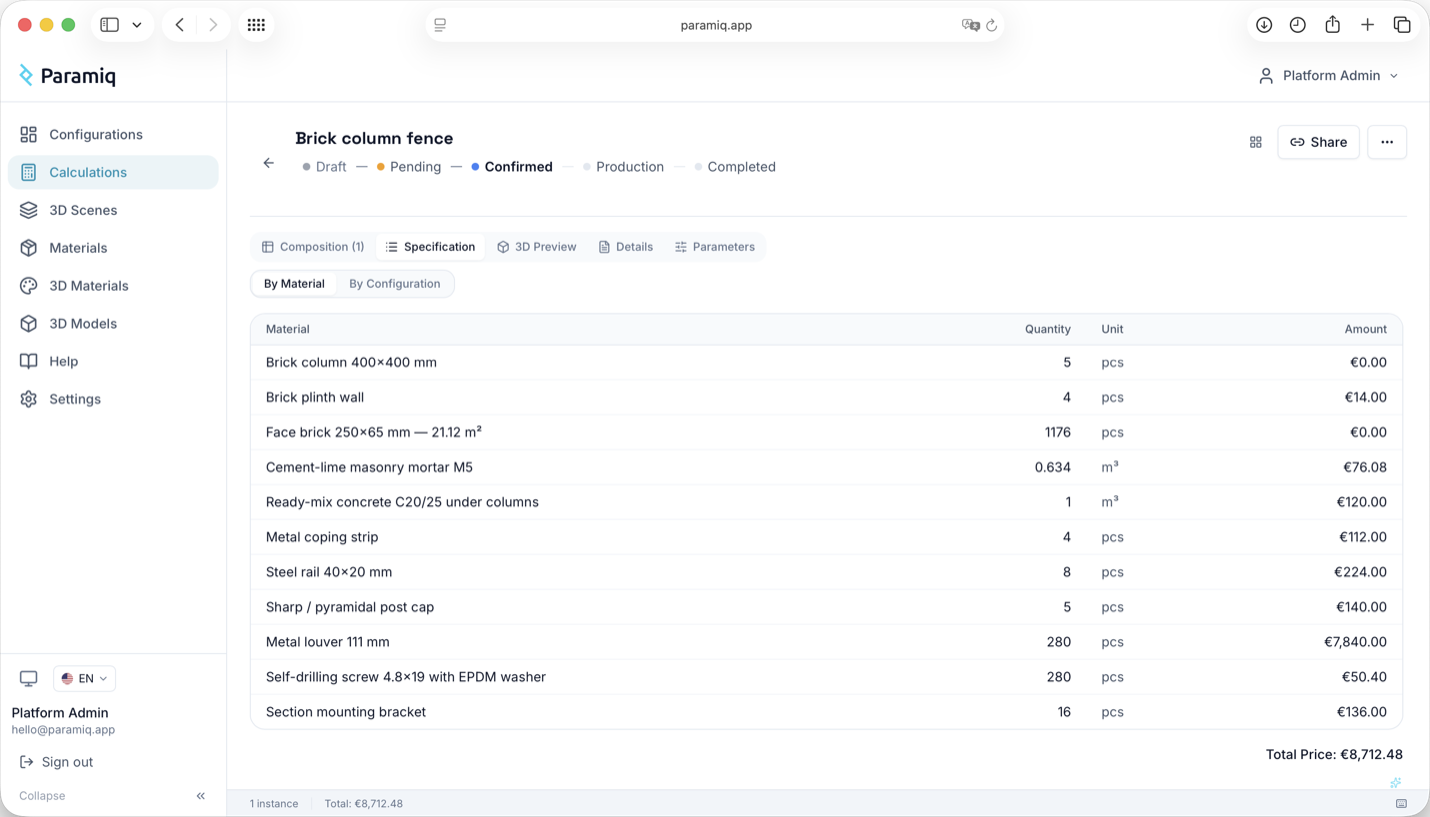
- BOM and specification — every configuration produces the material list production actually needs.
- 3D view (optional) — dimensions, construction and options rendered live as the inputs change.
- Publishing — the same configurator works internally for sales, by link for dealers, or embedded on your website.
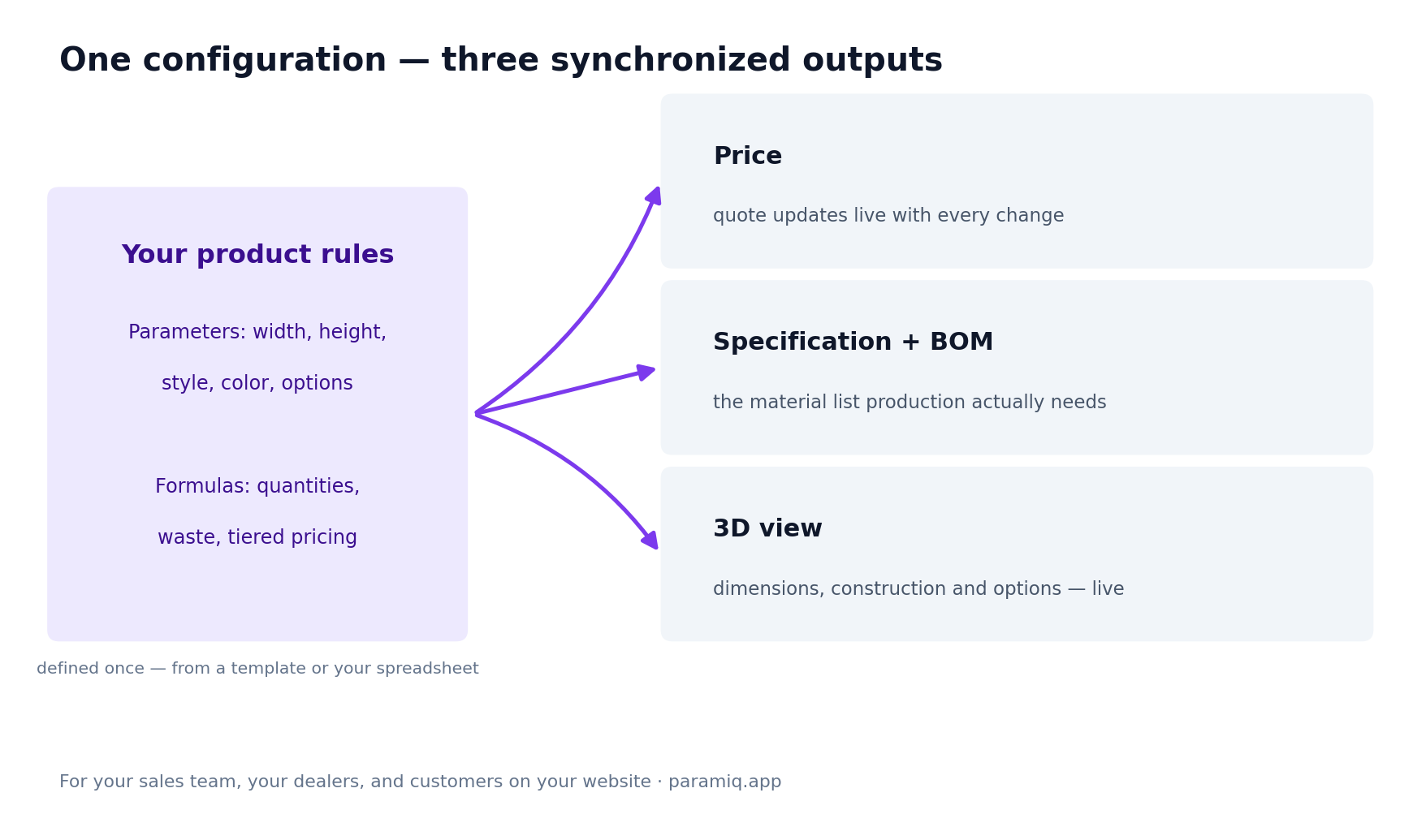
One set of rules. Change a dimension and the price, specification, bill of materials and 3D update together — there is no re-quoting when the job changes.
Is it a fit for your business?
| Strong fit if | Not the right tool if |
|---|---|
| You manufacture configurable or made-to-order products with repeatable logic — named lines, size ranges, option lists. | Every job is engineered individually to drawings, with no repeatable configuration. Custom job shops are better served by CAD and estimating tools. |
| Price and materials follow from dimensions, options and formulas rather than one-off engineering. | You need ERP, MRP, scheduling or invoicing as the core system. A configurator complements those; it does not replace them. |
| Your process lives in Excel and one person's head, and sales waits on engineering for numbers. | You sell fixed-SKU catalogue goods with a shopping cart — standard ecommerce handles that. |
| You sell through a quote process: internally, through dealers, or from your website. | You want a homeowner-style visual estimator with no production output — lighter instant-quote tools exist for installers. |
| Enterprise CPQ or CAD automation is heavier than the task needs. |
Worked example
A residential aluminium fence line. Parameters: length in feet, height (4', 5' or 6'), style (three options) and colour. Formulas: sections = length ÷ panel width; posts = sections + 1; brackets = sections × rails × 2; price = the sum of quantity × unit price with a height multiplier. For a 120 ft run at 5 ft, the output is a quote line, a bill of materials — panels, posts, brackets, caps and fasteners with quantities — and a 3D preview, all recalculated instantly for any change. This exact structure ships as a template you can open and edit.
Implementation: what it actually takes
- Start from what exists — a template, product description or current spreadsheet. An import can create a working draft from the sheet's structure and values; the product rules and formulas still need review against known examples.
- Refine the rules — dimensions, options, dependencies and pricing logic in one editor. No code.
- Publish where it fits — internal workspace, share-by-link for dealers, or embedded on your site. White-label is available on the Business plan.
- Connect the flow — quote and PDF export, webhooks into your CRM or ERP.

FAQ
Enterprise CPQ manages complex sales processes for large revenue teams. A parametric configurator solves the manufacturer's core problem — rules into price, BOM and 3D — without enterprise integration overhead. Small manufacturers usually need the second.
No. Parameters and formulas are spreadsheet-level logic, and AI assists with the first draft. This differs from CAD-automation tools, which generate drawings and expect an engineering workflow.
Yes — share by link or embed it. Dealers configure within your rules, and you receive the configured request together with its bill of materials.
Use it as source material. The imported draft reconstructs the structure and intent rather than transferring formulas cell for cell, and macros are not carried over. The draft is then reviewed against scenarios whose correct answers you already know.
The same thing as a parametric configurator: your formulas — quantities, cut lists, pricing rules — drive every output. If you searched for "formula-driven", this is that category; we use the term "parametric" throughout.
Anything with repeatable dimensional logic: fences, gates, railings, pergolas, carports, stairs, furniture, windows and doors, exhibition stands.
Tell us what you manufacture and share one representative product. We will use a focused walkthrough to decide what the first version should configure and whether its main output should be a quote, estimate or material list.